Home health
Run your home health agency on CareSign.
OASIS, the plan of care, physician orders, visit notes for every discipline, and the worklists that keep a Medicare agency ahead of its deadlines, with proof that every visit really happened. Built to be the chart of record for a home health agency.
The workflow in under two minutes
Home health. All in view.
The team schedule, mobile visit list, OASIS-E2 workspace, certification periods, signed visit reports, signatures, worklists, and office review. See the home health workflow in CareSign.
1:56 · Music and on-screen captions. Real product screens with synthetic demo data from this agency type. Portrait views show the CareSign iOS app.
Plan the day
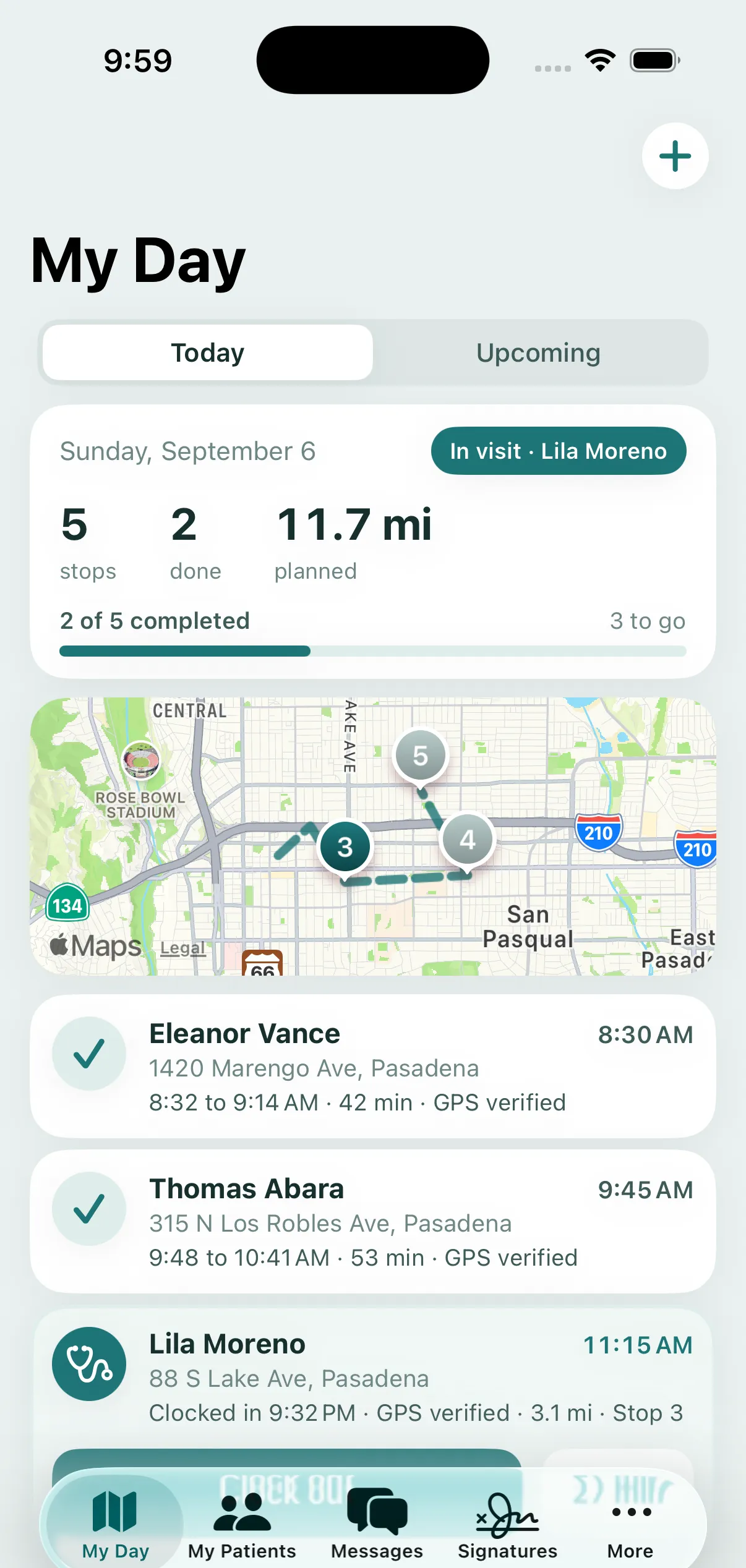
Nursing, therapy, and aide visits together, with My Day in the iPhone app.
Document the visit
OASIS-E2 responses and outstanding items, plus a signed visit report with homebound context and vitals.
Track the next step
Certification dates, recertification windows, plan-of-care signatures, and office worklists.
Review the paperwork
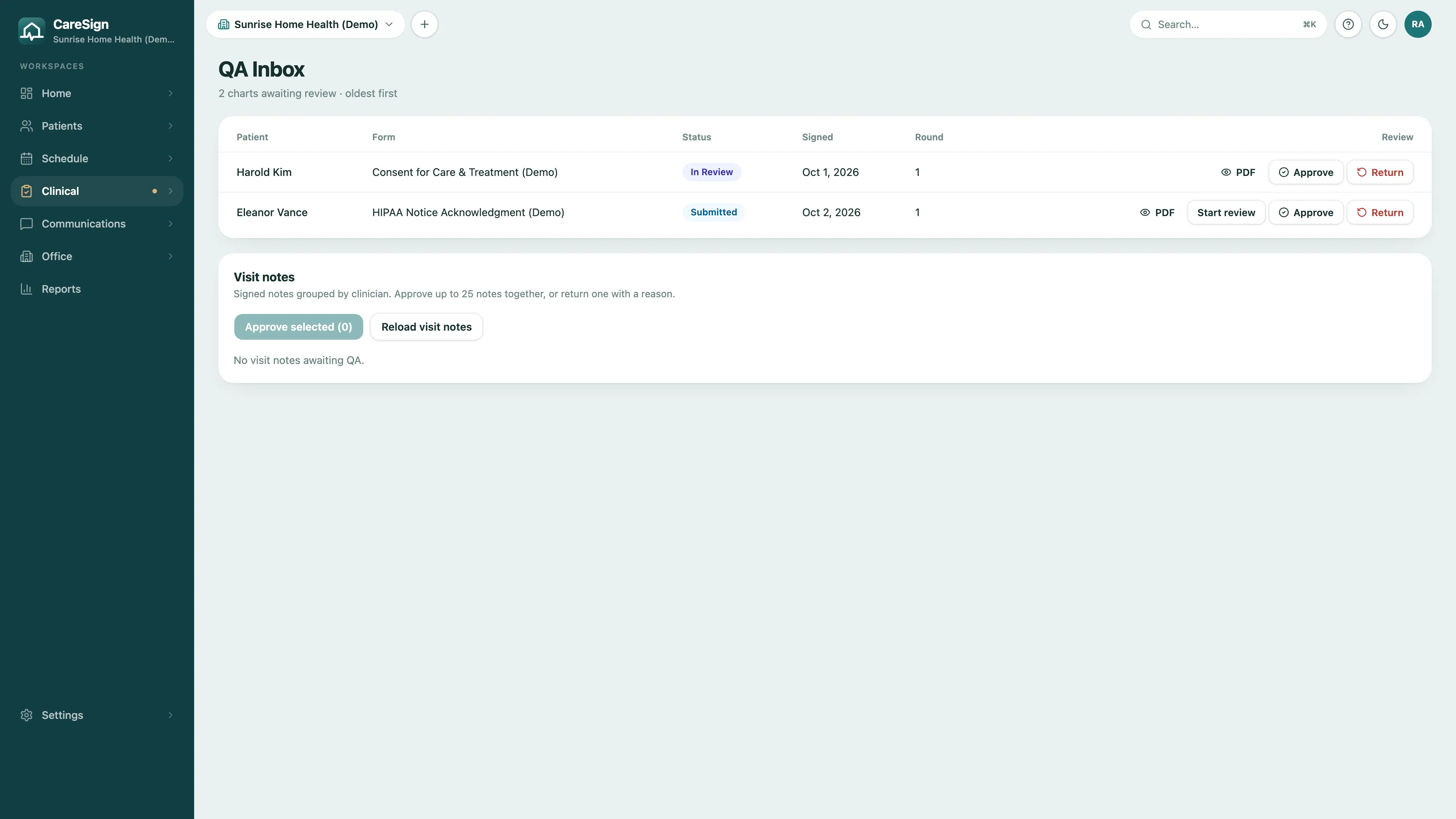
A visible QA queue for submitted forms, with approval and return actions.
The episode, end to end
From referral to discharge in one chart.
Home health runs on dates: start of care, the 60-day period, the recert window, the order that has to come back signed. CareSign keeps each one on the patient's chart and puts the next deadline in front of the person who owns it.
- 1
Referral to admission
Referrals, pending admissions, and non-admissions in one pipeline. Admitting the patient opens the first 60-day certification period and starts the clock on the start of care OASIS.
- 2
Plan and certify
The start of care OASIS, the 485 plan of care built in CareSign and sent for the practitioner's signature, and the face-to-face encounter tracked until it is documented.
- 3
Visit and document
Visit notes by discipline at the point of care, visits held to the ordered frequency, and a signed missed visit record, with physician notification, when a visit does not happen.
- 4
Recertify or discharge
Recerts surface on the worklist before the episode ends. Holds, inpatient stays, resumption of care, and discharge each leave a dated record and the summaries that go with them.
Worklists
What is due, on the front page.
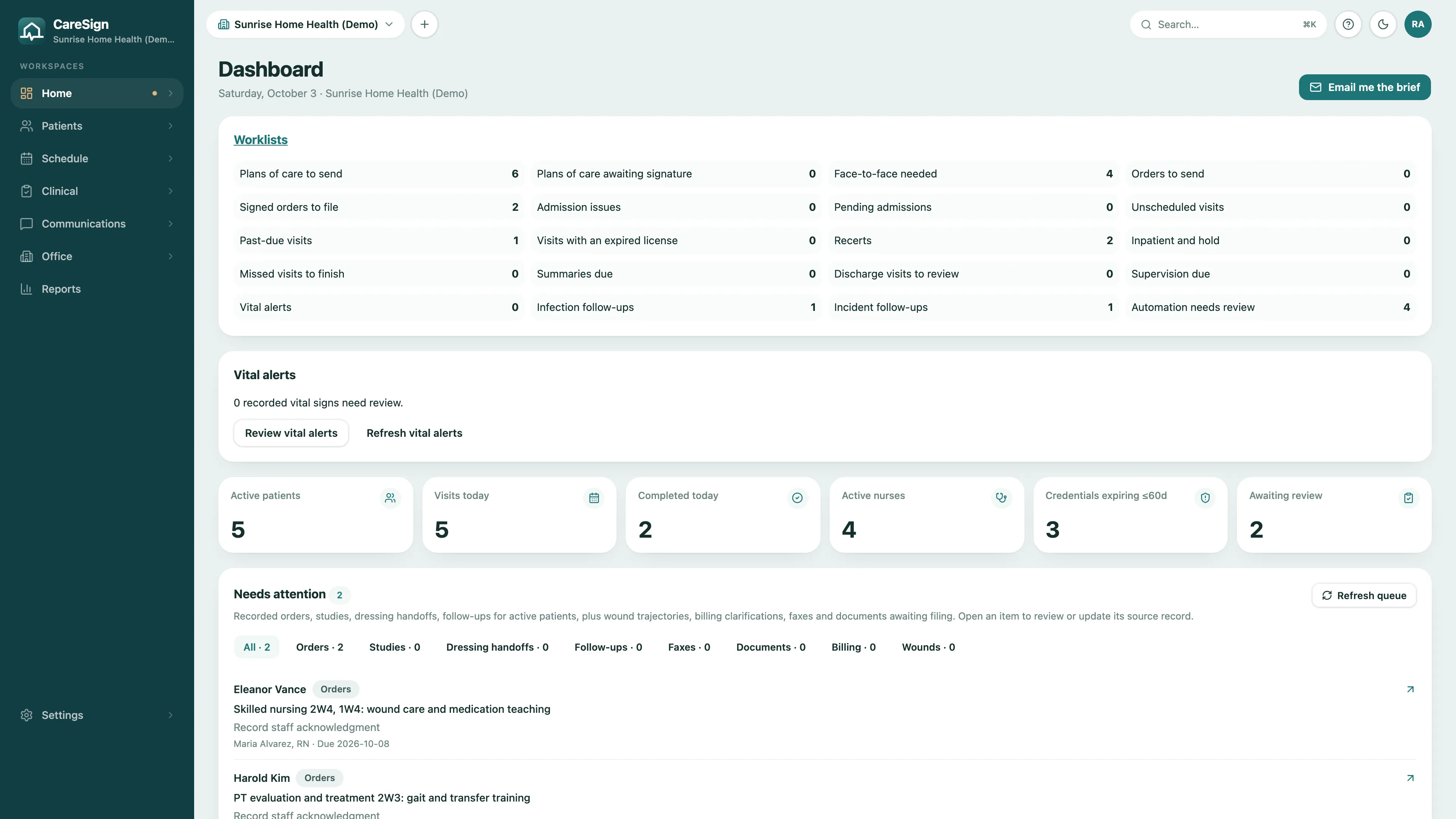
Every deadline the agency owns becomes a worklist with a count on the dashboard. Open one and you are on the patient, the plan, or the order that needs you.
- Plans of care to send and plans awaiting the practitioner's signature
- Face-to-face encounters still needed, orders to send, and signed orders to file
- Recerts, past-due visits, missed visits to finish, and discharge visits to review
- Visits booked with a clinician whose license has expired
- Supervision due, vital alerts, and infection and incident follow-ups
OASIS
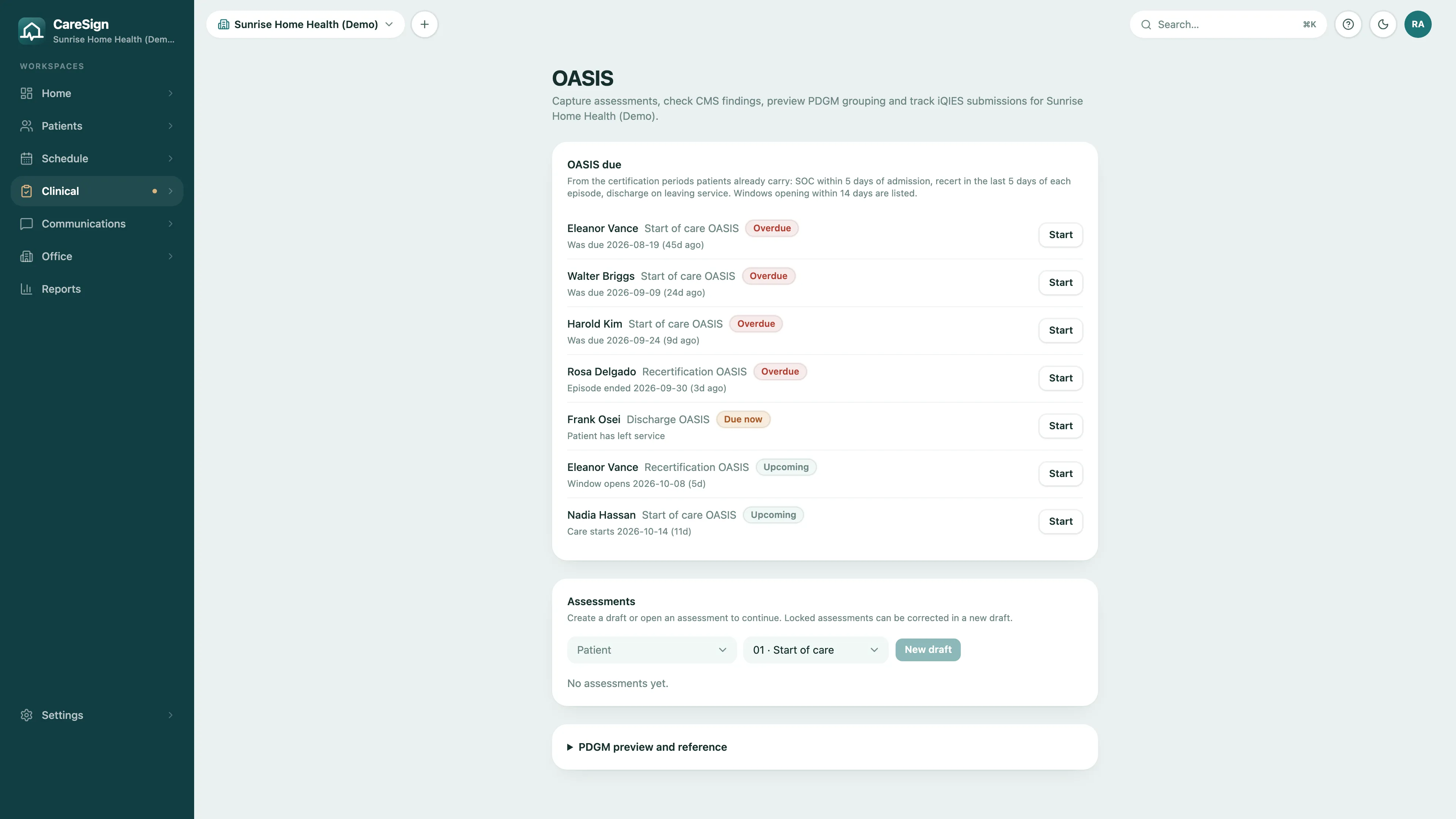
OASIS-E2 in the same chart, not a second system.
CareSign works out which OASIS is due from the certification periods your patients already carry, and keeps it in the chart with everything else.
- Start of care, recertification, and discharge OASIS listed as due, overdue, or upcoming
- CMS findings checked before you lock the assessment
- Locked assessments corrected in a new draft, with the history kept
- PDGM grouping previewed from the answers
- The iQIES submission file exported, with the submission and its outcome recorded
Plan of care and orders
The 485 and the orders, back signed.
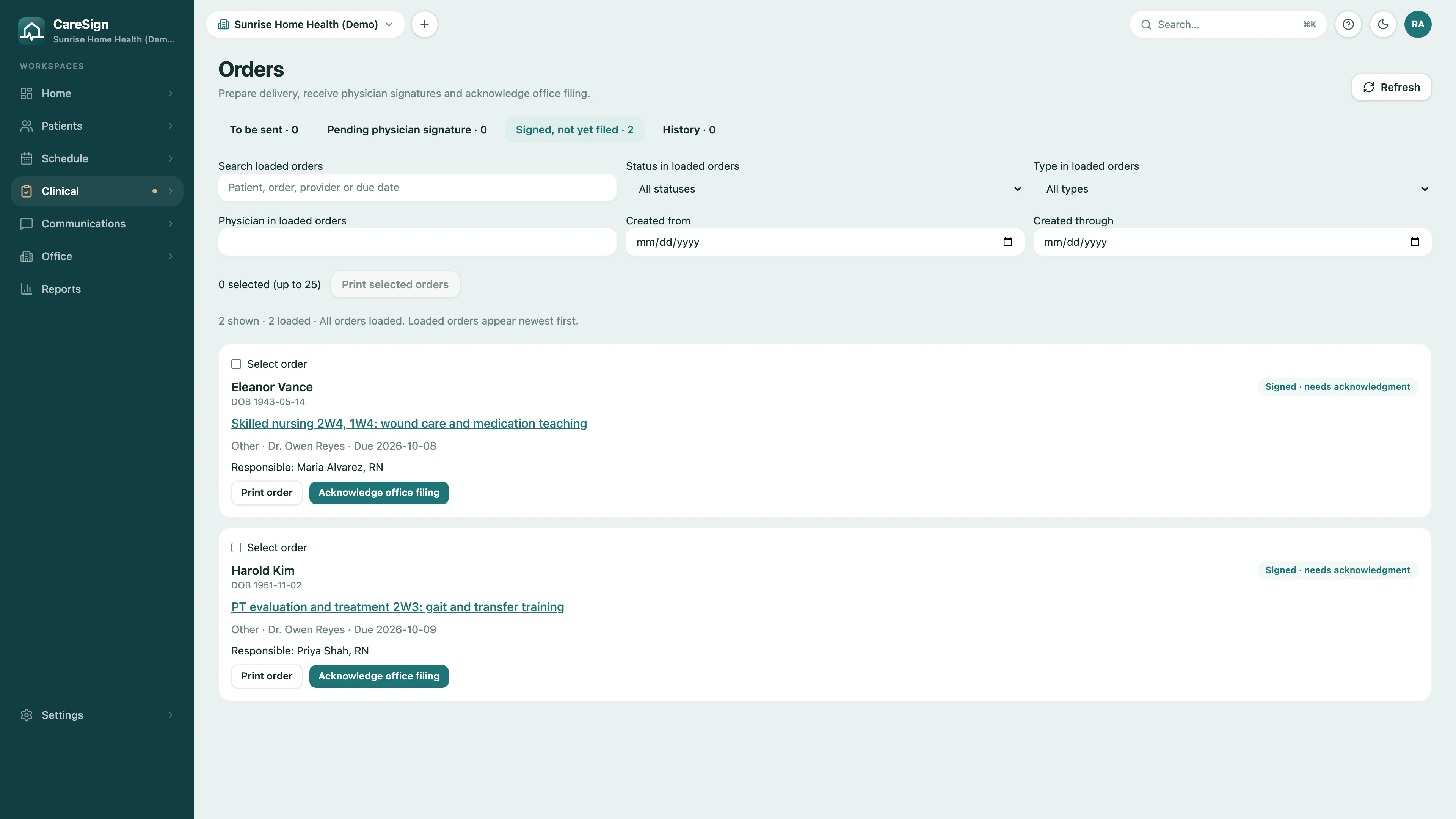
Build the plan of care in CareSign, send it for the practitioner's signature, and watch it come back. Orders follow the same path, and what was signed drives what gets scheduled.
- The 485 plan of care built per certification period and sent for signature
- A physician queue for orders and plans, signed remotely with sealed evidence
- Signed frequency orders set the visit frequency the schedule is held to
- Face-to-face encounters tracked from admission until they are documented
- Signed orders filed to the chart, with paper orders received and recorded
Scheduling
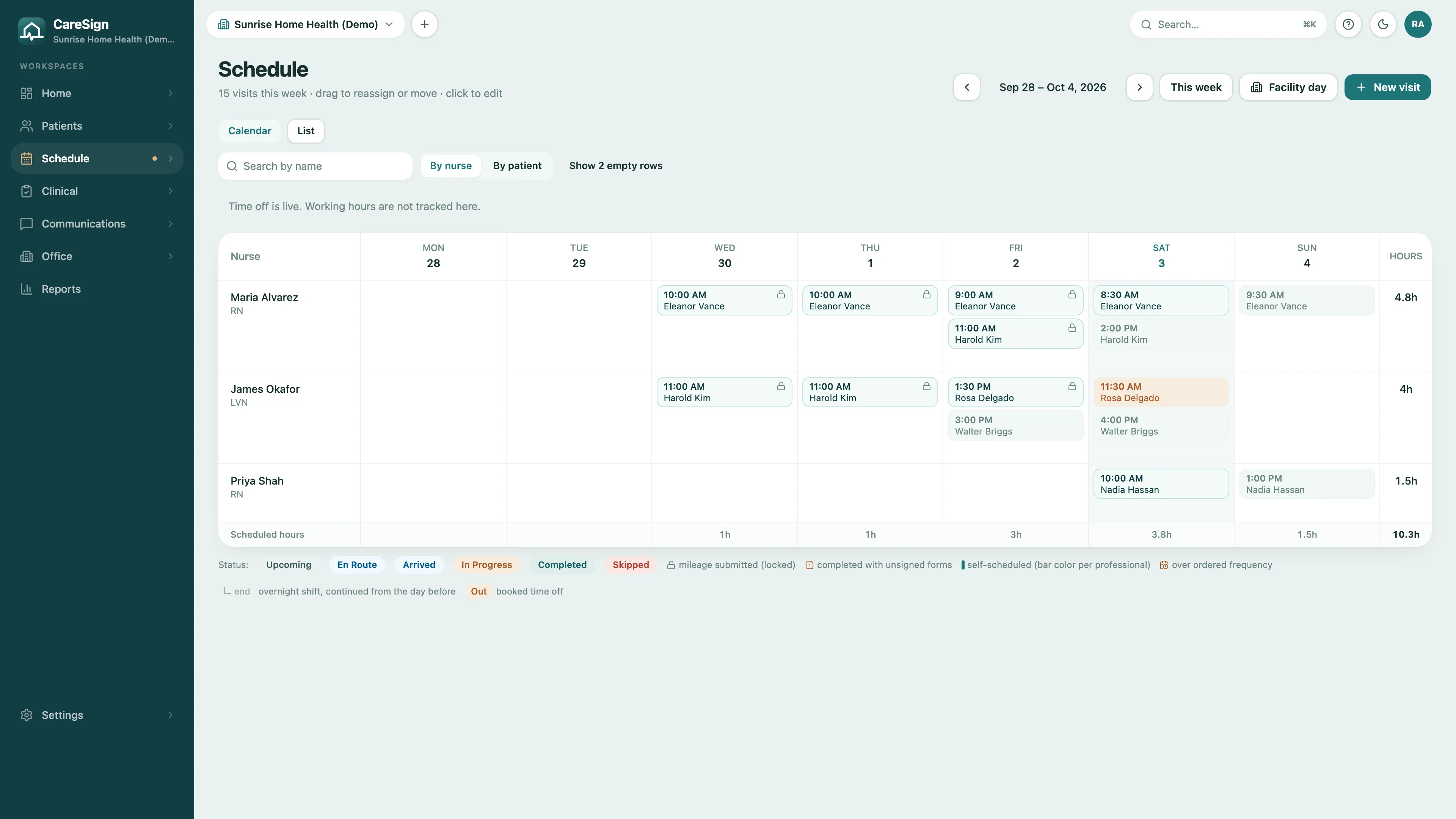
A schedule that knows the orders.
Drag a visit to reassign it. CareSign checks it against the ordered frequency and the clinician's license before it is booked, and verifies it with GPS when it happens.
- Week board by clinician or by patient, with time off and overnight shifts
- Visits over the ordered frequency flagged; an expired license blocks the booking
- Supervisory visits placed on the schedule at each due date: every 14 days for aides on skilled cases, every 60 for other aide care, and your policy's interval for LVNs and therapy assistants
- GPS clock-in and clock-out, with exceptions flagged for review
- Visit types set billable and payable, with G-codes and revenue codes
Visit notes by discipline
Every discipline charts at the door.
Nurses, therapists, social workers, and aides document on a native iPhone app built for the visit, not a web portal squeezed onto a phone. The note is signed before the car door closes.
Skilled nursing visits
The nurse's visit report carries the OASIS-coded items the episode needs, signed on the iPhone at the end of the visit.
Therapy and social work
PT, OT, and ST evaluation, visit, and discharge notes; PTA and COTA visit notes; and a medical social work note. Each discipline gets its own form.
Aide care plans and tasks
The RN writes and approves the aide care plan, printed as a binder PDF for the home. Aides record each task as done, refused, or not applicable.
Vital ranges and alerts
Set agency or patient-specific ranges. A reading outside them on a completed note creates an alert for the office to review.
QA and the return loop
Notes come back fixed, not lost.
Signed notes and forms wait in the QA inbox. Approve them in batches, or return one with a reason; the clinician sees it on their phone, corrects it, and it comes back for review.
- Signed visit notes grouped by clinician, approved up to 25 at a time
- Returned notes carry the reviewer's reason to the clinician's My Day
- Signed forms and consents reviewed with the PDF one tap away
- Communication notes and transfer and discharge summaries on the chart
Survey readiness
Ready on the day the surveyor calls.
The logs, plans, files, and reports a home health survey asks for are kept as you work, not assembled the week before.
Infection and incident logs
Log infections and incidents from the chart, follow them to resolution, and run the surveillance reports a surveyor asks for.
Emergency preparedness
A patient emergency plan with evacuation zones, and the emergency preparedness report across the census.
HHCAHPS monthly file
Build the monthly patient file for your survey vendor, with do-not-contact patients handled.
Surveyor access
A read-only surveyor login with a time window and per-patient grants. Every chart a surveyor opens is logged.
Staff credentials
Licenses, certifications, and immunizations on each staff record. An expired license blocks scheduling that clinician.
The report center
Census, admissions by referral source, open OASIS, recerts due, plan of care history, diagnosis codes, and, for California agencies, the HCAI annual utilization report.
Audit-defensible records
When the records request comes, be boring.
Additional documentation requests and audits ask the same questions: who was there, when, and who signed. CareSign answers them in the record itself.
Times you can trace
Clock-in, clock-out and signing times are captured when they happen. If the office has to enter or fix a clock time, the visit shows who did it, when and why, and the change lands in the audit trail.
GPS-verified visits
Location is captured at clock-in, clock-out, and the moment of signing. The chart shows the visit happened where it happened.
SHA-256-sealed signatures
Every completed signature is fingerprinted with SHA-256 and issued a verification code. Anyone you authorize can confirm authenticity without an account.
A complete audit trail
Every change to every record lands in an append-only, server-side log: who, what, when, and which fields changed. Not even agency admins can edit it.
CareSign runs on HIPAA-ready infrastructure under Business Associate Agreements, and every record exports as a PDF, so the chart is yours to hand to a surveyor or an auditor on demand.
See home health in CareSign
Book a demo and we'll walk through a home health demo agency with you, focused on the parts your team asks about.